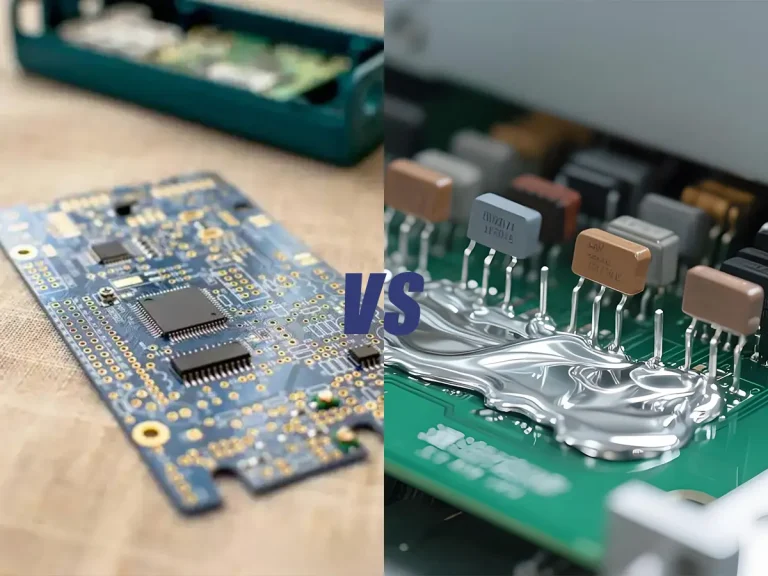
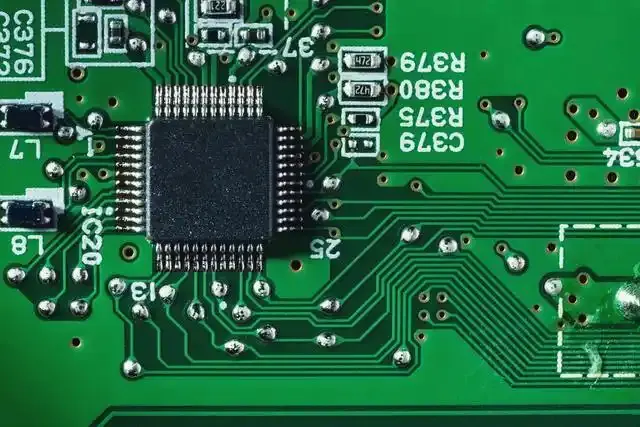
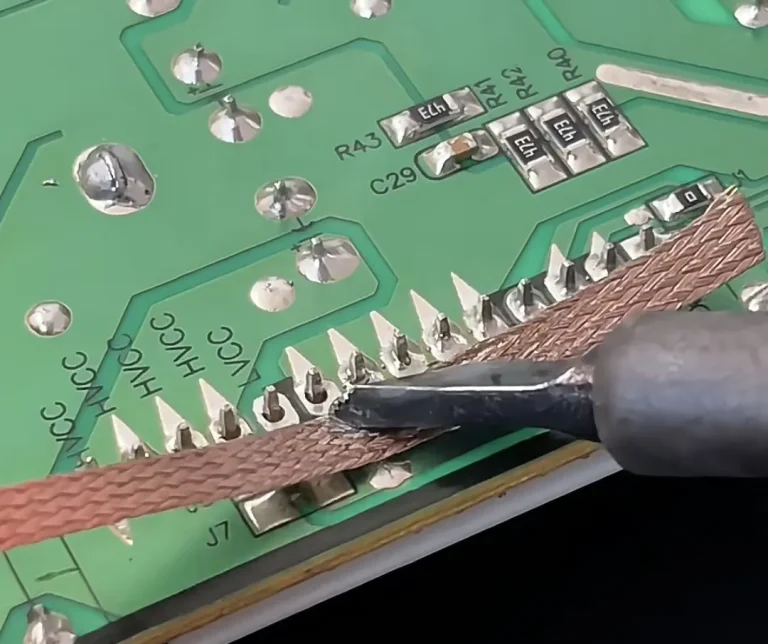
Surface Mount Device (SMD) rework station is also known and referred to as hot air blower. They are used for soldering and de-soldering of integrated circuit (IC) parts or chips and Ball Grid Array (BGA). It is also used to repair mobile phones and Printed Circuit Boards (PCB).
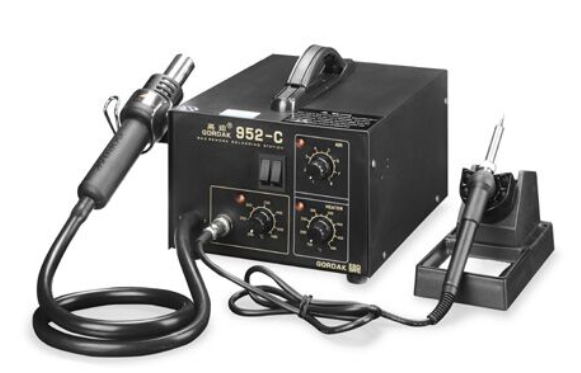
SMD rework station has two knobs for control, and one of them is needed to regulate the flow and movement of hot/heated air and the second is needed to regulate the temperature.
Also, the hot air which flows through the nozzle is fixed to the handle. And the hot air is needed to dissolve the solder paste which is below the IC.
Additionally, it is needed as a BGA rework station with other equipment like PCB pouch and preheater which is used to serve heat from the bottom of the board.
However, for your de-soldering and soldering of IC component and mobile phone repair, purchasing SMD rework station from an experienced and reliable manufacturer is the best way to go.
How Does an SMD Rework Station Work?
An SMD rework station uses controlled heat and airflow to heat solder joints on surface-mount components. Unlike a conventional soldering iron, which transfers heat through direct contact, a hot air rework station delivers heated air through a nozzle to warm the component and surrounding solder joints.
The two main controls are temperature and airflow. Temperature determines how much heat is generated, while airflow controls how quickly and how widely that heat reaches the PCB.
During SMD rework, the operator typically:
- Sets the temperature according to the solder and component.
- Adjusts the airflow according to the component size and working area.
- Selects a nozzle that matches the component.
- Applies heat evenly around the solder joints.
- Removes or positions the component once the solder reaches a molten state.
This controlled combination of heat and airflow allows technicians to remove, replace, or reflow SMD components without directly touching every solder joint.
For larger or multilayer PCBs, preheating may also be used to reduce the temperature difference between the working area and the rest of the board. This can help reduce thermal stress during rework.
What Is an SMD Rework Station Used For?
An SMD rework station is mainly used for removing, replacing, and reworking surface-mount components on a PCB. Because hot air can heat multiple solder joints at the same time, it is particularly useful for components that are difficult to remove with a conventional soldering iron.
Common applications include:
Removing SMD Components
A hot air rework station can heat the solder joints around an SMD component until the solder becomes molten. The component can then be lifted carefully with tweezers or a vacuum pickup tool.
This is useful for removing:
- Resistors
- Capacitors
- Diodes
- SOIC components
- QFP packages
- QFN packages
- Other multi-pin SMD components
Replacing SMD Components
After removing a damaged or defective component, the same station can be used to install a replacement component.
The PCB pads can be prepared with solder and flux before the replacement component is positioned and heated.
Reflowing Solder Joints
An SMD rework station can also be used to reflow solder joints that have not formed correctly.
Controlled hot air can help correct:
- Poor solder connections
- Solder bridges
- Misaligned components
- Incomplete solder joints
PCB and Electronics Repair
SMD rework stations are commonly used in electronics repair environments where individual components need to be removed or replaced without processing the entire PCB.
Typical applications include:
- Mobile phone repair
- Consumer electronics repair
- PCB maintenance
- Electronic equipment servicing
- Prototype development
- Laboratory and R&D work
Types of SMD rework station in the market
There are many SMD rework station in the market, and the quality of some are superb but costly while some are cheap.
However, individual preference still remains the ultimate determinant of what type of SMD rework station to buy.
The following are some of the best types of SMD rework station in the market
1. GORDAK 952C Soldering and rework station.
2. GORDAK 857
3. GORDAK Import Soldering Iron 936B
4. GORDAK 938D Digital Soldering Station
5. GORDAK 909D Soldering and rework station
How to Choose an SMD Rework Station
Choosing an SMD rework station depends on the type of components you work with, how frequently you perform rework, and the level of temperature and airflow control you need.
Temperature Control
Stable temperature control is important when working with sensitive SMD components. A station should allow you to adjust the heat according to the solder and component being reworked.
Airflow Control
Adjustable airflow gives you better control over how heat reaches the PCB. Low airflow can be useful for small components, while larger components may require greater airflow.
Nozzle Options
Different SMD packages require different heating areas. A station with multiple nozzle options provides greater flexibility for different component sizes.
Heating Stability
The station should maintain relatively stable heat during operation rather than producing large temperature fluctuations.
Cooling and Safety Functions
Automatic cooling, handle detection, overheat protection, and other safety functions can help protect the heating system and improve operating safety.
Ease of Use
Clear controls and an easy-to-read display are particularly useful for technicians who perform repeated repair work.
Application
Consider whether the station will mainly be used for:
- Mobile phone repair
- PCB repair
- SMD component replacement
- Electronics maintenance
- Prototype development
- Professional rework
The best SMD rework station is not necessarily the one with the highest temperature or airflow. It is the one that provides the level of control required for your actual rework applications.
SMD Rework Station vs. Soldering Iron
An SMD rework station and a soldering iron are both used for electronics repair, but they heat solder joints in different ways.
A soldering iron transfers heat through a metal tip that directly contacts the solder joint. This makes it suitable for precise work on individual connections.
An SMD rework station uses heated airflow to heat multiple solder joints around a component at the same time.
| Feature | SMD Rework Station | Soldering Iron |
|---|---|---|
| Heating method | Hot air | Direct tip contact |
| Best suited for | SMD components and multi-pin packages | Individual solder joints |
| Multi-pin component removal | More convenient | More difficult |
| SMD rework | Excellent | Suitable for some components |
| Through-hole soldering | Not the primary application | Excellent |
| Contact with solder joint | No direct contact | Direct contact |
| Airflow control | Yes | No |
For multi-pin SMD components, an SMD rework station can heat several solder joints simultaneously. A soldering iron remains more practical when you need to solder wires, through-hole components, or individual joints.
For many repair environments, the two tools are complementary rather than competing tools. Technicians may use a hot air rework station to remove an SMD component and a soldering iron to clean or prepare the pads afterward.
Guide on the Use of SMD rework station
The first thing is to plug in the power cord and turn it on, and then you turn on the power switch of the station.
There is also a need to regulate the air pressure and temperature this is to ensure balancing of both which allows appropriate de-soldering and soldering.
When the heat is much and the airflow is small, it will bring out excess heat which can destroy mobile phone PCB. In the same vein when the heat is small and the airflow much it will cause dissatisfying de-soldering and soldering.
Also, some of the stations have automatic power cut, especially when you place the handle on the holder power off.
More so, when you are doing some repairs, you need to off the station, and this will allow the station to naturally blow cool air and this will help the heater inside the handle to cool and no damage will occur.
Besides, it is needful for you to preheat the PCB during soldering or de-soldering. You can do this by supplying heat through some height and the handle of the station will be brought down steadily.
However, when unexpected heat is supplied to the PCB component or part this can cause the PCB and other components to get damage as a result of thermal chock.
Choose the Right Nozzle
The nozzle affects how heat and airflow are distributed around the component.
Choose a nozzle that is appropriate for the size and shape of the component. A nozzle that is too small may concentrate heat in a limited area, while a nozzle that is too large may heat nearby components unnecessarily.
For small SMD components, a smaller nozzle can provide more localized heating. For larger packages, a larger nozzle can help distribute heat more evenly.
The nozzle should allow the target component to receive sufficient heat without unnecessarily exposing surrounding components.
Apply Flux Before Rework
Applying a small amount of suitable flux can help solder melt and flow more evenly during SMD rework.
Flux helps remove surface oxidation and improves solder wetting. It can be especially useful when working with older solder joints or components that are difficult to reflow.
Avoid applying excessive flux. A controlled amount around the solder joints is generally sufficient for most repair work.
Heat the Component Evenly
Position the hot air nozzle above the component and distribute heat across the solder joints rather than concentrating the airflow on a single point.
Move the nozzle gradually around the component so that the solder joints reach reflow temperature more evenly.
Do not force the component while the solder is still solid. If the component does not move easily, continue heating rather than applying excessive mechanical force.
For densely populated PCBs, pay particular attention to nearby components that may be affected by heat or airflow.
Remove the Component Without Applying Force
Once the solder has fully reflowed, use ESD-safe tweezers or a suitable pickup tool to lift the component.
The component should come away with little mechanical resistance. If it remains attached, do not pull harder. Continue applying controlled heat until the remaining solder joints become molten.
Forcing a component from the PCB can damage pads or traces and may make the repair more difficult.
Clean the PCB After SMD Rework
After removing a component, inspect the pads and remove excess solder or residue before installing the replacement component.
Solder wick can be used to level excess solder on the pads, while an appropriate PCB cleaning method can be used to remove flux residue.
Inspect the pads under magnification before continuing with the repair. Damaged, lifted, or contaminated pads should be addressed before installing a new component.
How to Set Temperature and Airflow
Temperature and airflow should be adjusted together rather than treated as separate settings.
The correct setting depends on the solder type, component size, PCB construction, nozzle, and thermal mass of the board.
As a practical starting point:
- Small SMD components: lower to moderate airflow
- Larger components: moderate airflow when additional heat transfer is required
- Leaded solder: generally requires less heat than lead-free solder
- Lead-free solder: may require a higher thermal setting
- Multilayer PCBs: may require additional preheating because copper planes can absorb and distribute heat
Avoid assuming that a higher temperature or higher airflow will always produce faster results. Excessive temperature can damage components and PCB pads, while excessive airflow can move small components before the solder has fully melted.
The goal is to use the lowest effective combination of temperature and airflow that allows the solder to reflow properly.
Common SMD Rework Station Mistakes to Avoid
Using an SMD rework station requires more than simply selecting a high temperature. Several common mistakes can damage components or the PCB.
Using Excessive Temperature
Higher temperature does not necessarily mean faster rework. Excessive heat can damage sensitive components, lift PCB pads, or cause unnecessary thermal stress.
Use the lowest effective temperature that allows the solder to reach reflow.
Using Too Much Airflow
Excessive airflow can move small SMD components before the solder has fully melted.
For small components and densely populated PCBs, start with a lower airflow setting and increase it only when necessary.
Using the Wrong Nozzle
A nozzle that is poorly matched to the component can make heating difficult to control.
Choose the nozzle according to the component size and the surrounding PCB layout.
Applying Force Before the Solder Melts
Never force an SMD component from the PCB while the solder is still solid.
If the component does not move easily, continue heating until the solder joints have fully reflowed.
Ignoring Nearby Components
Hot air can affect components surrounding the target area.
When working on a densely populated PCB, control the heating area carefully and use suitable airflow and nozzle settings to reduce unnecessary heating.
Are you in need of a superior SMD rework station?
It is well known that there are many SMD rework station in the market, but determining the best quality among them may be difficult.
Well, we are here for you, and you can rely on us to serve you the right product at any time and to anywhere.
Click here to purchase our premium products which will prevent damages during de-soldering and soldering.