• +8618025978448
  • info@gordakelec.com
× 发送

Why Is My Soldering Iron Not Heating Properly? Causes & Fixes

A soldering iron that won’t heat up — or doesn’t get hot enough — can completely stop your work. Whether you’re repairing a PCB or assembling electronics, stable heat is essential for clean, reliable solder joints.

If your soldering iron is not heating properly, don’t panic. In most cases, the problem is easy to identify and fix.

This guide will walk you through the most common causes and practical solutions.

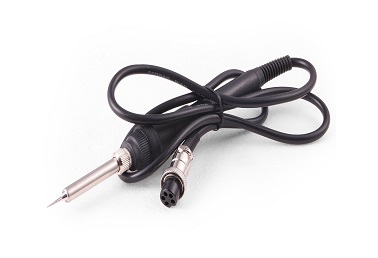
24v 48w soldering iron

可能的原因

  • Loose power connection
  • Damaged power cord
  • Faulty outlet
  • Blown fuse (for soldering stations)

Fix:

  • Check that the plug is firmly inserted
  • Inspect the cable for cuts or burns
  • Test the outlet with another device
  • Replace the fuse if necessary (check your manual)

Sometimes the issue is simply a poor electrical connection.

The heating element is the core component that generates heat.

Signs of a Failed Heating Element:

  • Iron stays completely cold
  • Heats briefly, then stops
  • Temperature fluctuates wildly

Fix:

  • Use a multimeter to check continuity
  • Replace the heating element if defective
  • For older units, consider upgrading the tool

Heating elements wear out over time, especially with heavy daily use.

If you’re using a temperature-controlled station:

Possible Issue:

The temperature may simply be set too low for your solder type.

Fix:

  • Increase temperature gradually (10–20°C increments)
  • Wait for stabilization
  • Match temperature to solder type:
Solder TypeRecommended Temp
Leaded solder320-350°C
Lead-free solder350–380°C

Incorrect settings are one of the most common causes of “not hot enough” complaints.

Sometimes the iron is hot — but heat isn’t transferring properly.

Signs:

  • Solder won’t melt on the tip
  • Tip looks black or dull
  • Poor heat transfer

Fix:

  • Clean tip using brass wool
  • Re-tin the tip with fresh solder
  • Replace the tip if heavily oxidized

A damaged tip can make a hot iron feel “cold.”

Frequent movement and heating cycles can loosen internal wiring.

症状

  • Heats intermittently
  • Cuts off when moved
  • Works only at certain angles

Fix:

  • Check internal connections (if qualified)
  • Tighten terminal screws
  • Replace damaged wires
  • If unsure, consult a technician

For safety, unplug the unit before opening it.

In temperature-controlled units, a sensor monitors heat.

Signs:

  • Display shows incorrect temperature
  • Iron overheats or underheats
  • Temperature fluctuates abnormally

Fix:

  • Reset the station (if available)
  • Replace sensor or heating core assembly
  • Contact manufacturer support

Sensor failure requires professional repair in many cases.

If you purchased equipment designed for 110V but plug it into 220V (or vice versa), it may not heat correctly — or could be damaged.

Fix:

  • Confirm voltage rating on the unit
  • Use a proper transformer if necessary
  • Avoid mismatched power sources

Always check specifications before use.

If your unit:

  • Frequently loses heat
  • Has unstable temperature
  • Requires constant repairs
  • Is more than several years old

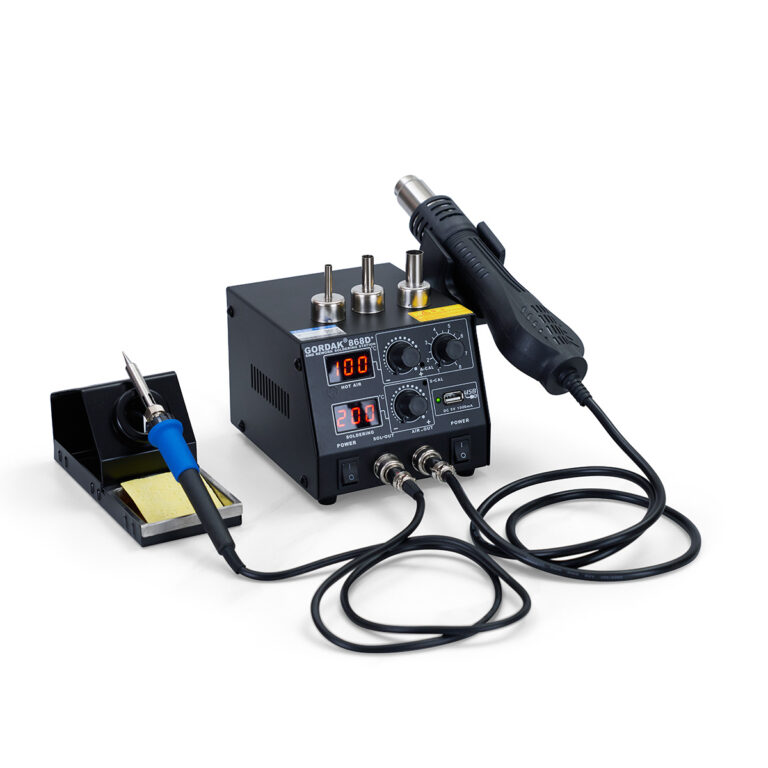
It may be more cost-effective to upgrade to a reliable, temperature-controlled soldering station.

Modern soldering stations provide:

  • 精确的温度控制
  • Fast heat recovery
  • 稳定的加热性能
  • ESD-safe protection
  • 使用寿命更长

Investing in quality equipment reduces downtime and protects sensitive electronics.

A soldering iron that isn’t heating properly can be frustrating — but the cause is often simple:

  • Power issue
  • 加热元件故障
  • Incorrect temperature setting
  • Worn-out tip
  • Sensor malfunction

By following systematic troubleshooting steps, you can quickly identify and fix the problem.

Reliable temperature control is essential for clean solder joints and component safety. If you frequently experience heating issues, upgrading to a professional-grade soldering station can dramatically improve performance, consistency, and efficiency.

For further questions, please contact us at info@gordakelec.com.

Please enable JavaScript in your browser to complete this form.